

Per-area alert conditions
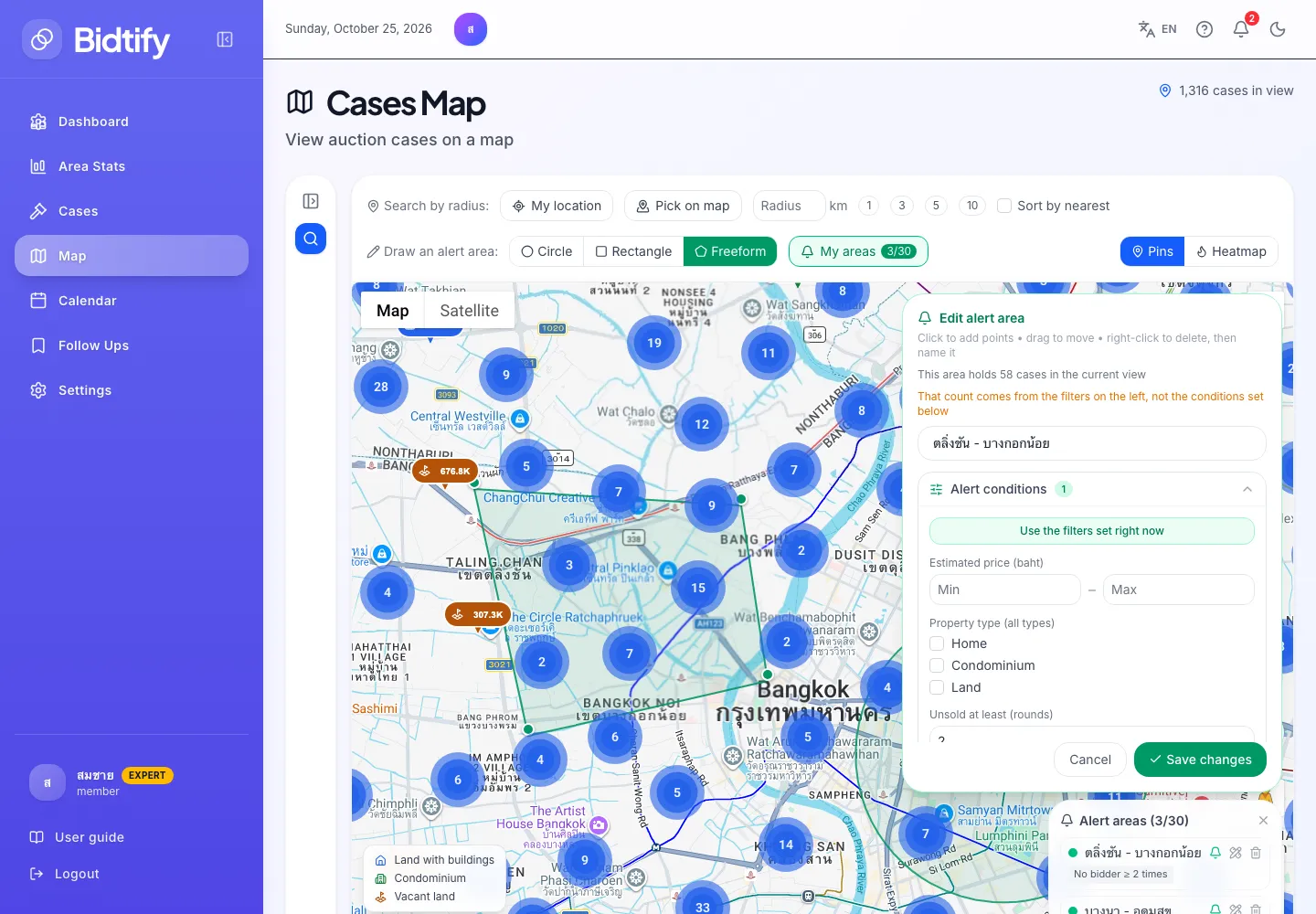
By default an alert area tells you about every new case inside it. On the Expert plan you can set Alert conditions for each area so you’re alerted only to cases that fit, for example “only vacant land under ฿2 million in this zone”.
Which conditions can I set?
Section titled “Which conditions can I set?”| Condition | Example |
|---|---|
| Estimated price (baht) | Min 500,000, max 2,000,000 |
| Property type | Pick one or more; none picked means all types |
| Unsold at least (rounds) | 2 means only cases that had no bidder in at least 2 rounds |
| Area (sq.wa) | Min 50 |
| Price per square wa (baht) | Max 30,000 |
| Deposit (baht) | Max 100,000 |
A case must meet every condition you set to trigger an alert. An empty field means no limit.
The unsold-rounds count uses the history available when the case entered the system.
How do I set conditions?
Section titled “How do I set conditions?”- Draw a new area, or click Edit shape and conditions on an existing one in My areas.
- Fill in what you want under Alert conditions.
- Click Save (or Save changes).
Shortcut: first set the filters in the Search panel on the left until the results look right, then click Use the filters set right now. Bidtify copies the filter values into the conditions.
Click Clear all conditions (alert on every case in the area) to go back to alerts for every case. An area with no conditions shows Alert on everything.
If I leave Expert, are my conditions lost?
Section titled “If I leave Expert, are my conditions lost?”No. They are suspended, and the area alerts on every case instead. The area list shows “Conditions are suspended — alerting on every case in the area” with an Upgrade to Expert link. When you’re back on Expert, the conditions work again straight away.
What do I see on Pro or Free?
Section titled “What do I see on Pro or Free?”The Alert conditions section carries an EXPERT badge. Clicking it opens a dialog with a button to see the Expert plan. Your areas still alert on every new case as usual.