

Followed cases
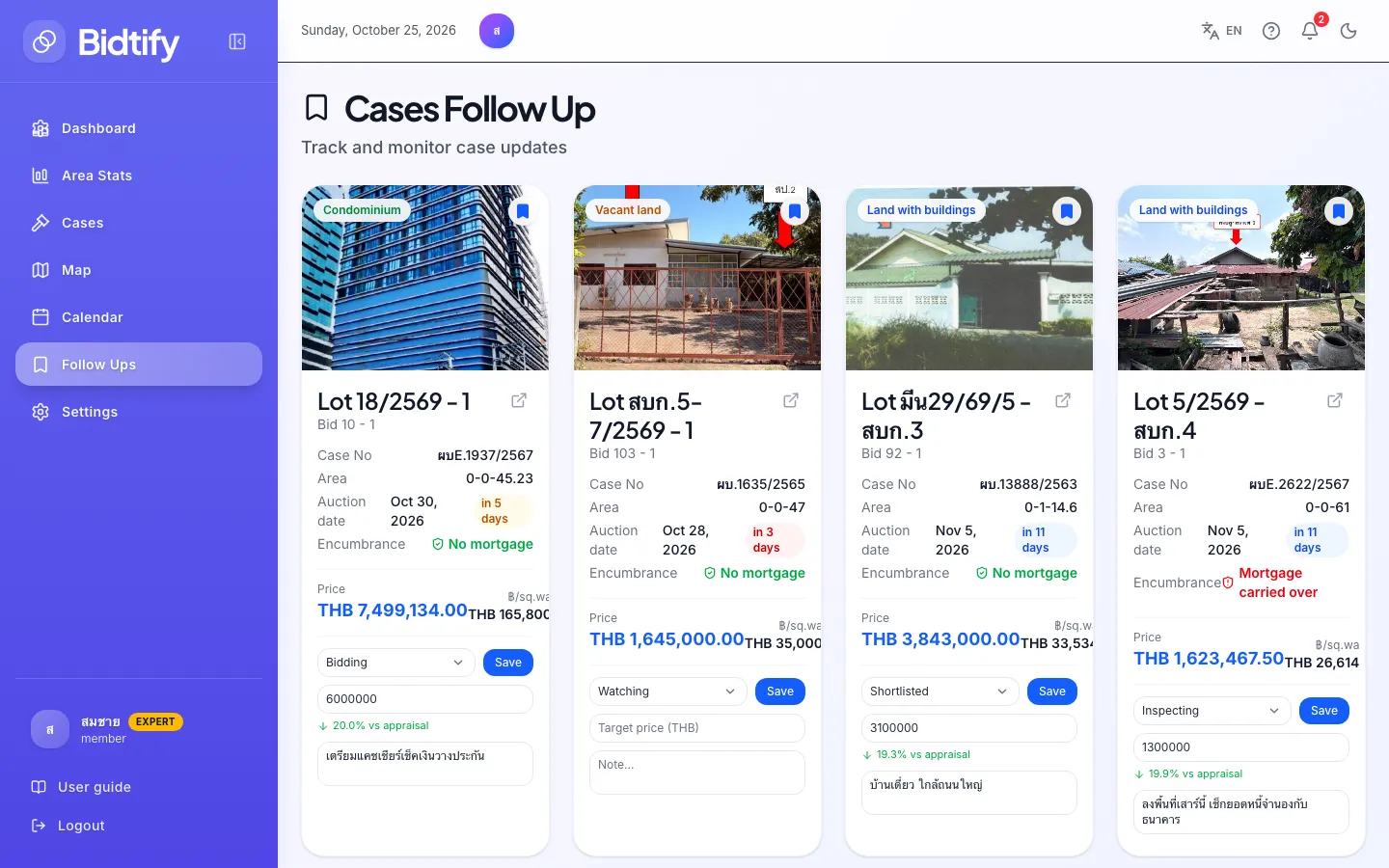
The Follow Ups page collects the cases you follow, with a countdown to each auction and fields to track your progress on each one. You can follow 10 cases on Free, 100 on Pro and unlimited on Expert. The list is saved to your account, so it’s the same on any device.
How do I follow a case?
Section titled “How do I follow a case?”Click Follow on a case details page. The button changes to Following and the case appears on Follow Ups.
What does each card show?
Section titled “What does each card show?”- The case’s lot, bid order, area, price and encumbrance.
- The Auction date with a countdown, such as in 5 days, Tomorrow, Today or Passed.
How do I track my progress on a case?
Section titled “How do I track my progress on a case?”On each card:
- Choose the case’s stage: Watching, Shortlisted, Inspecting, Bidding, Won, Lost or Passed.
- Enter a Target price (THB). Bidtify shows it as a percentage of the appraised price.
- Type a Note, for example what you found on site or the most you’re willing to bid.
- Click Save.
Use it together with the Pre-auction checklist on the case details page to work through documents and the property’s condition.
How do I stop following a case?
Section titled “How do I stop following a case?”Click Unfollow on the card, or click Following again on the case details page.
I’ve reached my follow limit. What now?
Section titled “I’ve reached my follow limit. What now?”The Follow list is full dialog opens. Unfollow cases whose auctions have passed or that no longer interest you, or upgrade to follow more. See Compare plans.