

Manage your plan and receipts
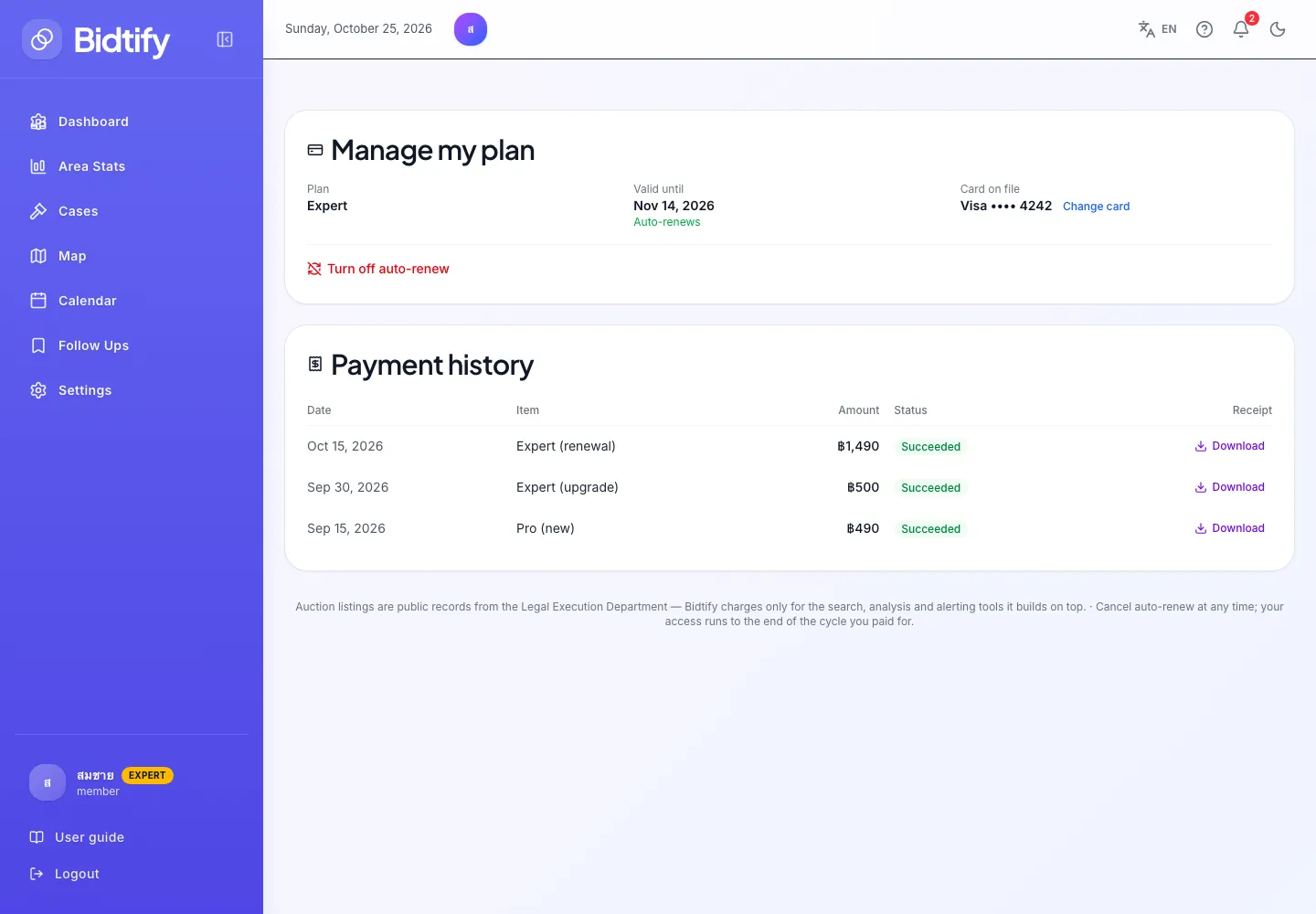
Once you subscribe to Pro or Expert, the plans page gains a Manage my plan section and a Payment history. Use them to check your expiry date, change card, turn off auto-renew and download receipts.
Where can I see when my plan expires?
Section titled “Where can I see when my plan expires?”The Manage my plan section on the plans page shows:
- Plan: the plan you are on
- Valid until: the date the current cycle ends
- Auto-renews, or Auto-renew is off — reverts to Free on expiry
- Card on file: the card brand and last 4 digits
Does Bidtify remind me before a renewal charge?
Section titled “Does Bidtify remind me before a renewal charge?”Yes. Bidtify emails you about 3 days before the renewal date. If you don’t want to renew, turn off auto-renew before then.
How do I change my card?
Section titled “How do I change my card?”Click Change card, enter the new card’s details and click Save card. The next renewal is charged to the new card.
How do I turn off auto-renew?
Section titled “How do I turn off auto-renew?”- Click Turn off auto-renew.
- Read the confirmation and click Turn off auto-renew.
Your plan stays active until its expiry date, then the account reverts to Free automatically.
If you change your mind, click Turn on auto-renew at any time before the expiry date. The confirmation spells out the date and the amount that will be charged before you click Turn on auto-renew.
How do I move from Expert down to Pro?
Section titled “How do I move from Expert down to Pro?”- On the Pro card, click Switch to Pro next cycle.
- Click Confirm the change.
Nothing is charged now. You keep Expert until the end of the cycle, then the Pro price is charged and you move to Pro automatically. Until then the Pro card shows Switching to this plan next cycle, and you can click Cancel the plan change if you change your mind.
Where can I download past receipts?
Section titled “Where can I download past receipts?”Every row in Payment history shows the Date, Item (new, upgrade or renewal), Amount and Status. Click Download in the Receipt column to get the receipt as a PDF (in Thai).
Bidtify also emails the PDF receipt after every successful payment.
Why can’t I manage my plan?
Section titled “Why can’t I manage my plan?”If the plan card says Your plan is managed by an administrator, your plan was granted by an administrator rather than bought by card, so you can’t change it yourself. Contact [email protected].