

Area Stats
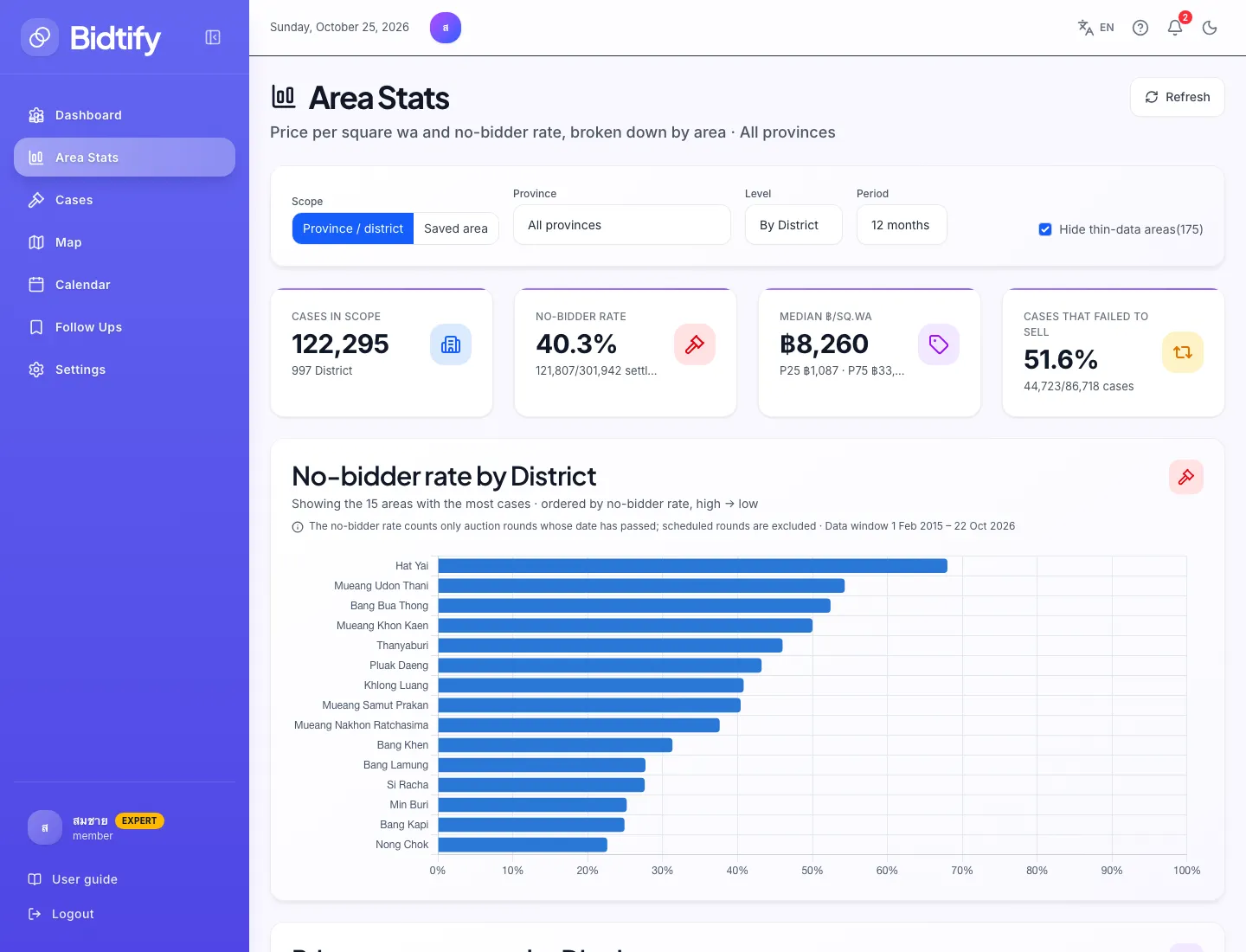
Area Stats answers two questions: which districts fail to sell most often, and what auction property there is appraised at per square wa. View it by province, by district, or just inside the areas you drew on the map. Available on the Expert plan only.
How do I set the scope?
Section titled “How do I set the scope?”The filter row at the top has:
- Scope: Province / district, or Saved area (the alert areas you drew)
- Province and Level (By province or by district), for the province/district scope
- Area, for the saved-area scope
- Period: the last 6, 12 or 24 months
- Hide thin-data areas: hides areas with few settled rounds, because rates from a small sample swing a lot
- Refresh: reloads the data
What do the summary figures mean?
Section titled “What do the summary figures mean?”| Figure | Meaning |
|---|---|
| Cases in scope | Number of cases in the chosen scope |
| No-bidder rate | Share of auction rounds with no bidder, out of rounds whose date has passed and whose outcome is known |
| Median ฿/sq.wa | The middle appraised price per square wa, with the P25 and P75 range |
| Cases that failed to sell | Cases that had no bidder in at least one round |
How do I read the charts?
Section titled “How do I read the charts?”- No-bidder rate by … ranks areas from the highest no-sale rate down. Areas at the top are where cases are hard to sell, which often means less competition.
- Price per square wa by … shows each area’s median and P25–P75 range, in the same order as the chart above so you can read them row by row.
- Monthly trend of cases coming up for auction shows case count, median price per square wa and no-sale rate each month. Months whose auctions haven’t happened yet are faded.
- Price versus no-bidder rate: each point is one area. A large point means many cases; a small point means thin data, so weigh it less.
- Statistics by … is the full table for every area. Areas with little data are marked Thin data.
How are these figures calculated?
Section titled “How are these figures calculated?”- Price per square wa = the Legal Execution Department appraisal ÷ land area (rai × 400 + ngan × 100 + wa). Cases with no appraisal or no land area, such as condominiums, are excluded.
- The no-bidder rate counts only rounds whose date has passed; scheduled rounds are excluded.
- Statistics for an area you drew include only cases with coordinates; the page shows what share of all listings that covers.
- Data refreshes once a day with the import run.
What do I see without Expert?
Section titled “What do I see without Expert?”The report is blurred and filled with sample data labelled “Sample data — not real figures”. The filters are disabled, and an Area Stats dashboard card offers a See the Expert plan button.