

Case map
The Map page shows auction cases as pins on a map, which is the easiest way to judge location and find cases in a neighbourhood you care about. It uses the same filters as the case list, and it’s also where you draw alert areas.
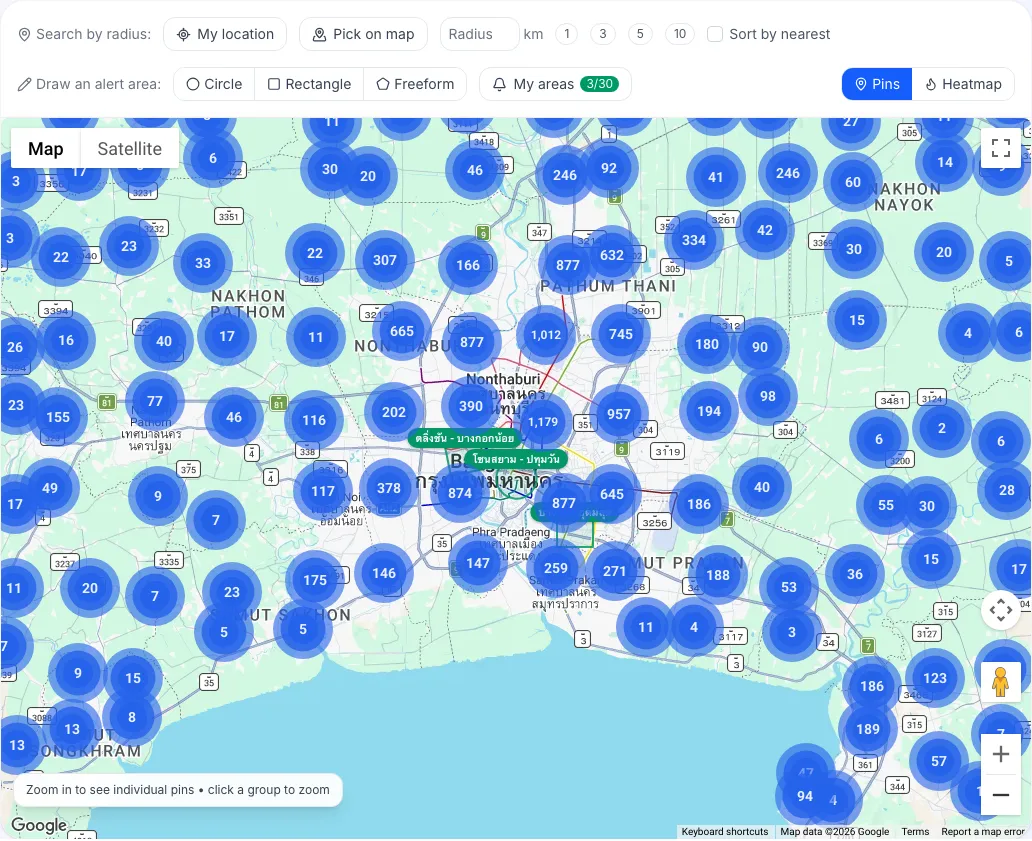
Why do I see numbered circles instead of pins when zoomed out?
Section titled “Why do I see numbered circles instead of pins when zoomed out?”Zoomed out, nearby cases are grouped into clusters, and the number is how many cases each one holds. The map says “Zoom in to see individual pins • click a group to zoom”.
- Click a cluster to zoom into that area.
- Once you’re close enough, clusters split into individual pins.
The map also shows the total for the current view, for example “1,234 cases in view”.
How do I open a case from the map?
Section titled “How do I open a case from the map?”- Click a case’s pin.
- A small window on the map shows a summary of the case.
- Click the link in the window to open the case details.
If one pin holds several cases (for example several units in one condominium building), the window says “N cases at this spot” and lists them to pick from.
How do I filter the map?
Section titled “How do I filter the map?”Use the Search panel on the left exactly as on the case list, then click Search. The map shows only matching cases. Each filter is explained in Search with the basic filters and Advanced filters.
The filters and the map position are kept in the page link, so you can copy it and send it to someone.
Why are some cases not on the map?
Section titled “Why are some cases not on the map?”The map shows only cases with coordinates. Cases without them can still be found on the Cases page, and some coordinates are approximate.
What else can I do on the map?
Section titled “What else can I do on the map?”- Radius search around you or a point you choose (Pro and above)
- Heatmap of case density, unsold cases or low prices (Pro and above)
- Draw alert areas to be told about new cases there (every plan)