

Draw alert areas
An alert area is a shape you draw on the map so Bidtify can tell you when a new case appears inside it. Every plan can draw them; the limit is 1 area on Free, 10 on Pro and 30 on Expert.
How do I draw an alert area?
Section titled “How do I draw an alert area?”- Open the Map and move to the area you’re interested in.
- In the Draw an alert area: row, choose a shape:
- Circle: drag the centre to move it, drag the edge dot to resize.
- Rectangle: drag its corners to resize and move it.
- Freeform: click the map to add points one at a time (at least 3). Drag a point to move it; right-click a point to delete it.
- The Name this alert area card appears. Type a name, for example “Nonthaburi home zone”.
- On Expert, you can add Alert conditions (optional).
- Click Save. When you see Alert area saved, Bidtify starts watching the area.
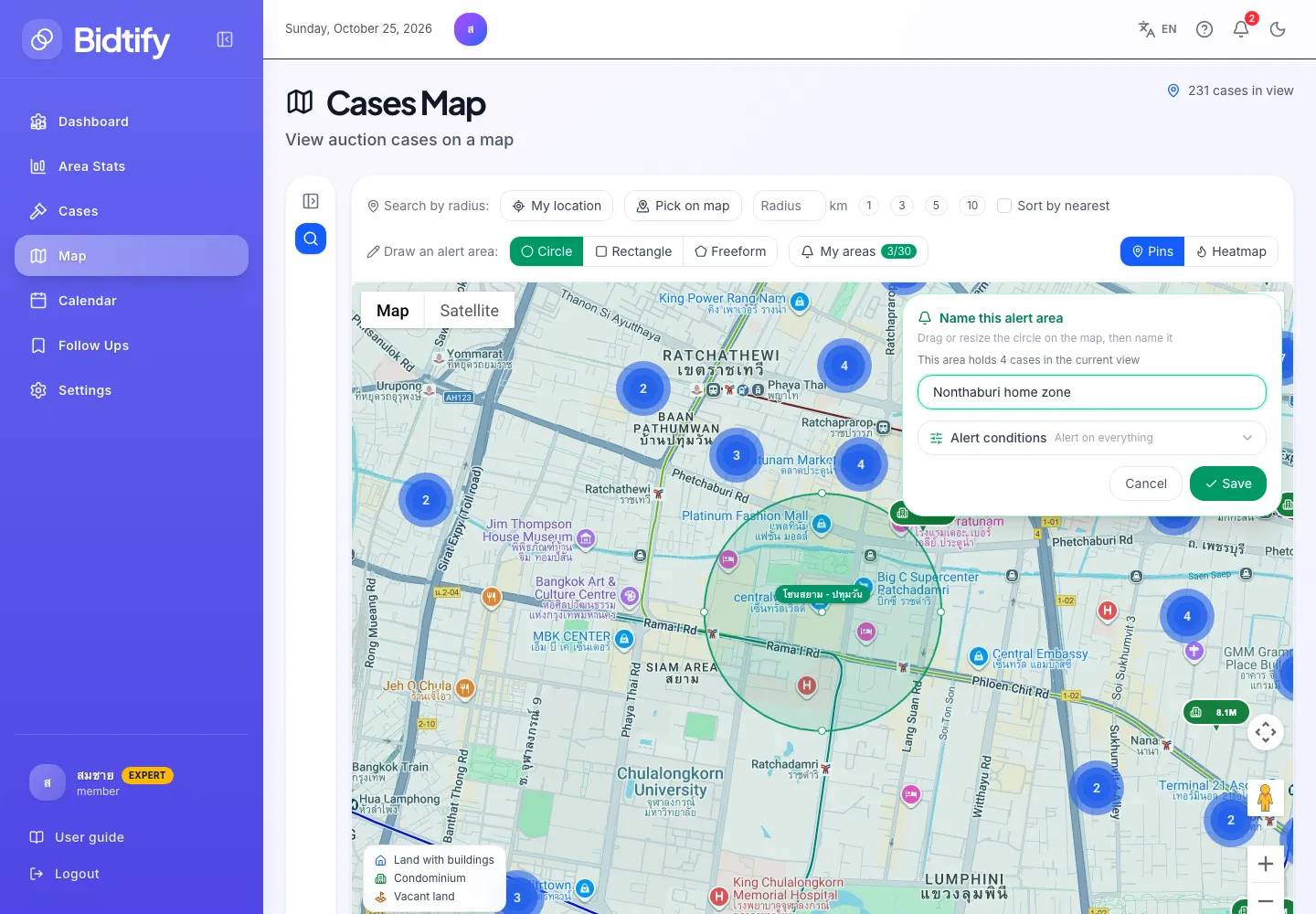
- Pick a shape: circle, rectangle or freeform
- Drag to move and resize the area on the map
- Name the area
- Click Save to start receiving alerts
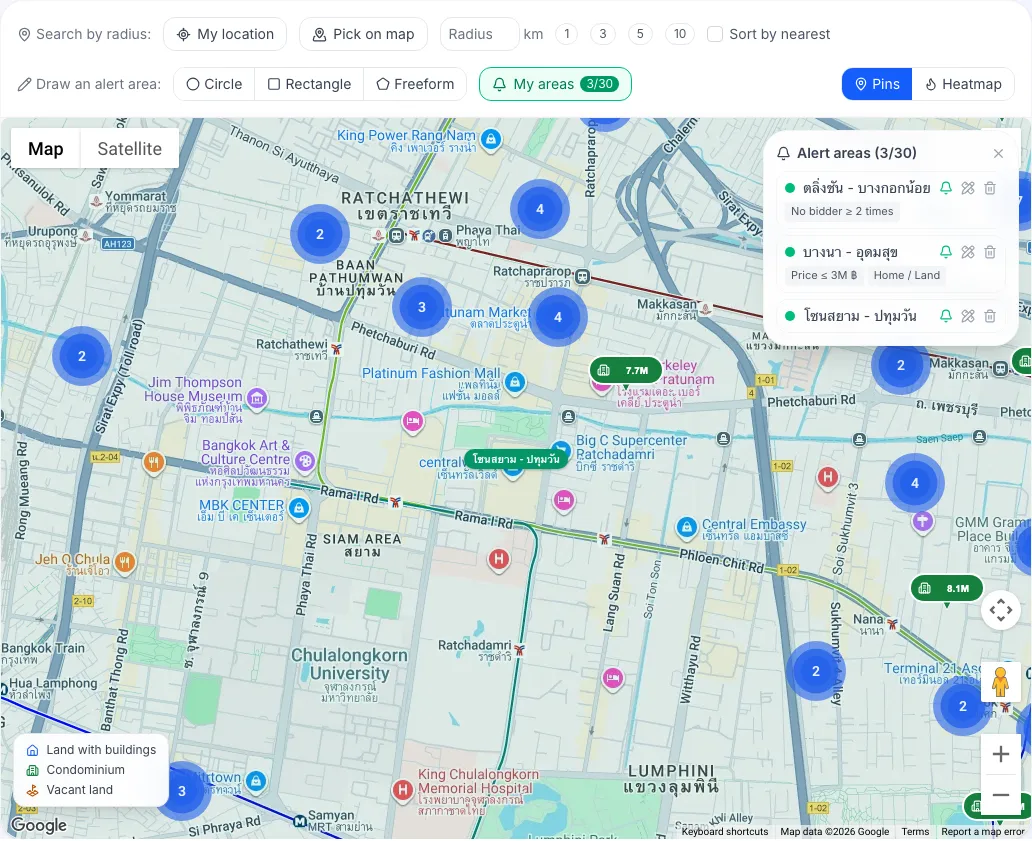
- My areas: view and manage saved areas
How do I manage my saved areas?
Section titled “How do I manage my saved areas?”Click My areas (it shows how many you’ve used against your limit) to open the Alert areas list. For each area you can:
- click its name to pan the map to it;
- Turn alerts off / Turn alerts on to pause or resume alerts without deleting the area;
- Edit shape and conditions to resize or move it, then Save changes;
- Delete to remove it for good. Bidtify asks you to confirm, and it can’t be undone.
I’ve reached my area limit. What now?
Section titled “I’ve reached my area limit. What now?”Drawing more than your plan allows opens the Saved area limit reached dialog. You can:
- delete an area, or edit one to cover the new neighbourhood;
- upgrade for more areas. See Compare plans.
Tips for useful alerts
Section titled “Tips for useful alerts”- A province-sized area can bring too many alerts. Draw just the neighbourhoods you really want.
- Freeform follows a road or a rail line more closely than a circle.
- If you watch several neighbourhoods, make a separate, clearly named area for each so you know at once where an alert comes from.