

Sort, switch views and share results
After a search, the results on the Cases page can be sorted, shown as a table or cards, and shared. All your filters are kept in the page’s link, so you can bookmark it or send it to someone and they’ll see the same results.
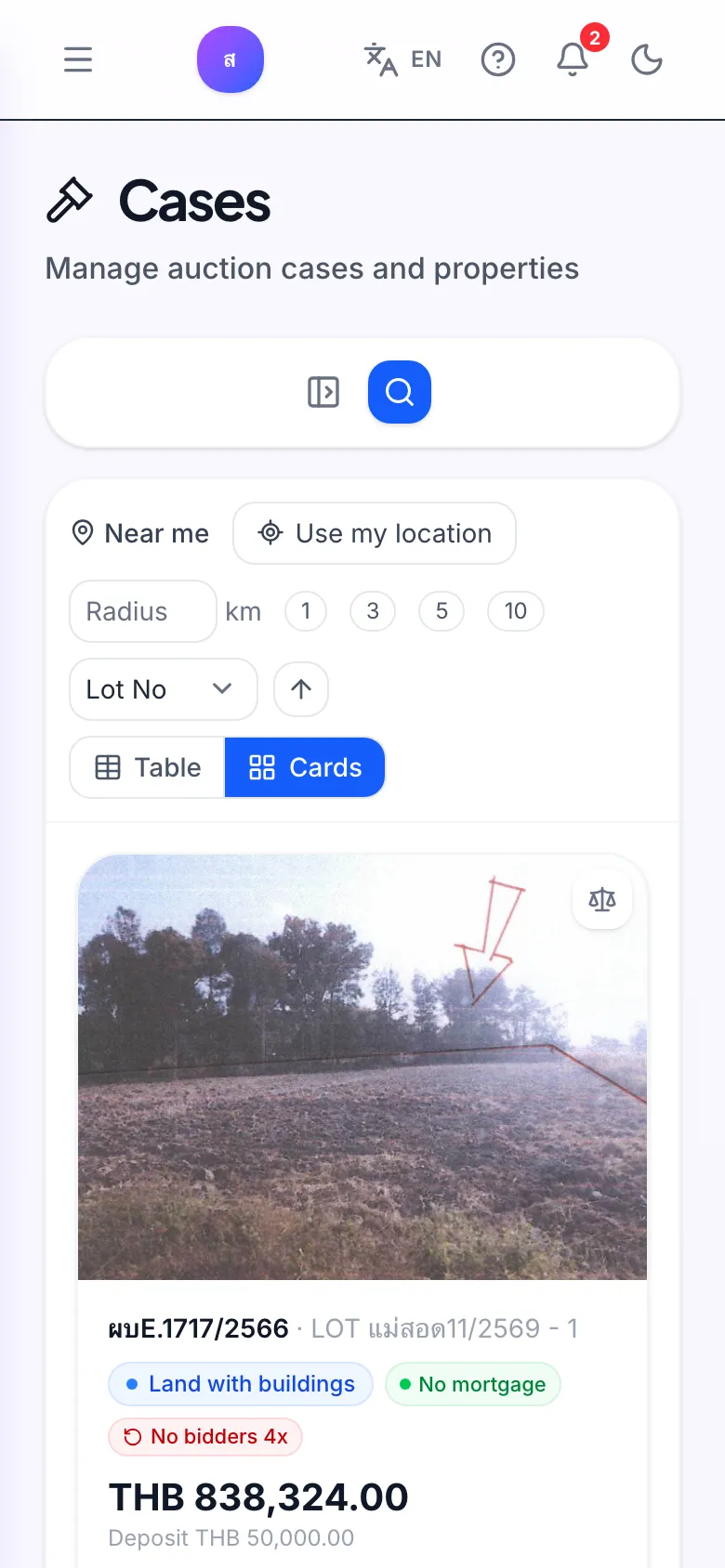
How do I sort the results?
Section titled “How do I sort the results?”Choose under Sort by:
- Price: the appraised price
- ฿/sq.wa: appraised price per square wa
- Area
- Auction date: the next auction date
- Lot No
- Distance (when using Near me)
Click the button next to it to switch between Ascending and Descending.
What is the difference between the table and card views?
Section titled “What is the difference between the table and card views?”- Table fits many cases on screen, with columns for image, lot number, case number, deed, type, area, price, ฿/sq.wa, next auction and status. Best on a computer.
- Cards show a larger photo and the key facts for each case. Easier to read on a phone.
What do the badges on a case mean?
Section titled “What do the badges on a case mean?”| Badge | Meaning |
|---|---|
| Mortgage carried over | The buyer takes on the existing mortgage |
| No mortgage | Sold without a mortgage attached |
| No bidders Nx | The case has had N auction rounds cancelled for lack of bidders. Amber is 1–2 times, red is 3 or more |
| Deposit | The deposit needed to bid |
What can I do with each case?
Section titled “What can I do with each case?”- View details opens the case details page. See Case details.
- Add to comparison puts the case on your comparison list; click again (Remove from comparison) to take it off. See Compare cases.
How do I share my results?
Section titled “How do I share my results?”Copy the link from the browser’s address bar and send it. The link keeps your filters, sort order and page. Whoever opens it must sign in to Bidtify, and can use any advanced filters in the link only if their own plan includes them.
The dashboard’s View list link works the same way: it opens the case list with the most recently added cases first.