

Compare cases
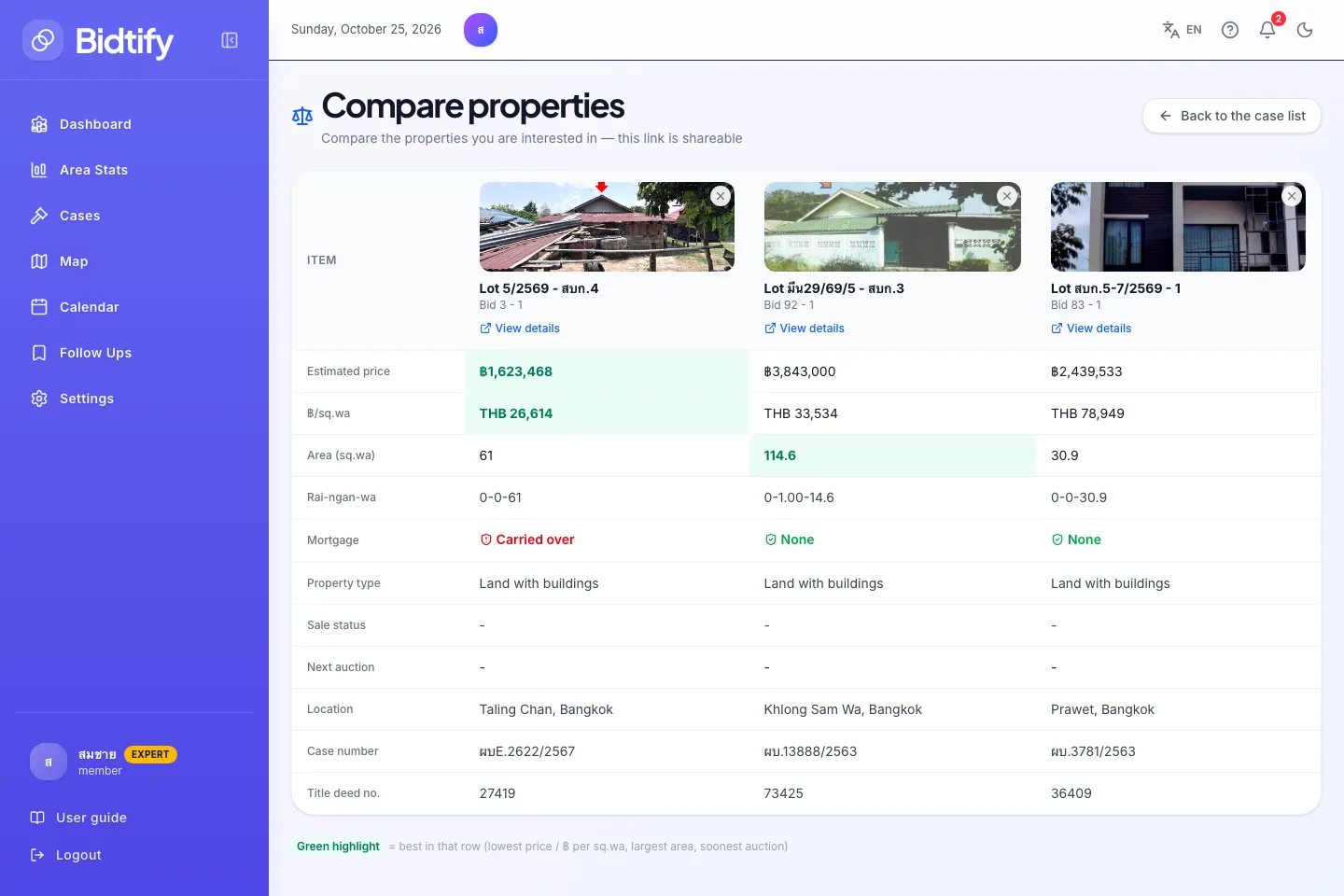
The Compare properties page lines up the cases you’re considering as columns, so price, area, mortgage terms and auction dates sit in one table. How many you can compare at once depends on your plan: Free 2, Pro 5 and Expert 10.
How do I compare cases?
Section titled “How do I compare cases?”- Click Add to comparison on a case in the case list, or Compare on a case details page.
- Repeat for other cases. The bar at the bottom counts your picks, for example “Compare 3/5”.
- Click Compare in the bottom bar (at least 2 cases needed).
What is in the comparison table?
Section titled “What is in the comparison table?”The rows are Estimated price, ฿/sq.wa, Area (sq.wa), Rai-ngan-wa, Mortgage, Property type, Sale status, Next auction, Location, Case number and Title deed no.
A Green highlight marks the best value in each row: the lowest price and price per square wa, the largest area and the soonest auction.
How do I remove a case from the comparison?
Section titled “How do I remove a case from the comparison?”- Click Remove from comparison in that case’s column.
- Or click Clear comparison in the bottom bar to remove them all.
Can I share a comparison?
Section titled “Can I share a comparison?”Yes. Copy the link of the comparison page and send it. The cases are part of the link, so whoever opens it sees the same table (after signing in to Bidtify).
Why did my comparison list disappear on another device?
Section titled “Why did my comparison list disappear on another device?”The comparison list is kept in each browser, not saved to your account. To keep cases across devices, use Follow instead. See Followed cases.
What happens if I add more than my plan allows?
Section titled “What happens if I add more than my plan allows?”The Comparison limit reached dialog opens with a button to see a plan that compares more. On Expert you’ll see “You can compare up to 10 cases”.