

Find cases near me
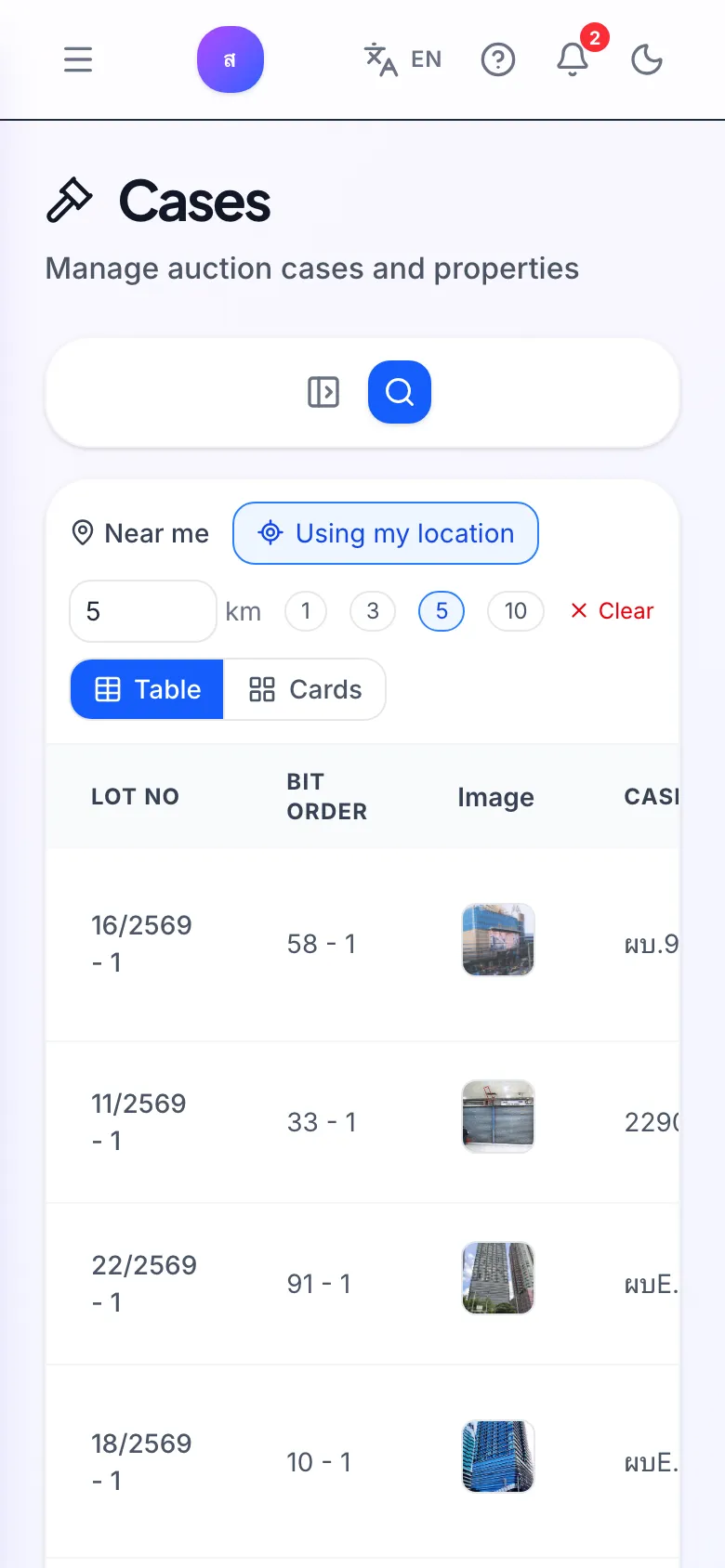
Near me uses your current location as the centre and lists only cases within the radius you choose. It’s handy when you’re out viewing properties or looking near home. Available from the Pro plan up.
How do I find cases near me?
Section titled “How do I find cases near me?”- On the Cases page, in the Near me bar, click Use my location.
- Allow location access when the browser asks.
- Pick a radius of 1, 3, 5 or 10 km, or type a number in Radius.
- The list shows only cases inside the radius, with a Distance column, and you can sort by Distance.
It says “Could not access your location”. What now?
Section titled “It says “Could not access your location”. What now?”Your browser or device is blocking location. Allow location for app.bidtify.com in the browser settings, then click Use my location again.
Why are some cases missing from a radius search?
Section titled “Why are some cases missing from a radius search?”Radius search uses each case’s coordinates, so cases without coordinates don’t appear. To be thorough, also search by province and district.
Can I use a point other than my own location?
Section titled “Can I use a point other than my own location?”Yes. On the Map page, click Pick on map and click the point you want. See Radius search on the map.