

Search with the basic filters
The Cases page searches the auction listings of the Legal Execution Department. The basic filters on this page are available on every plan and are the same filters used on the map.
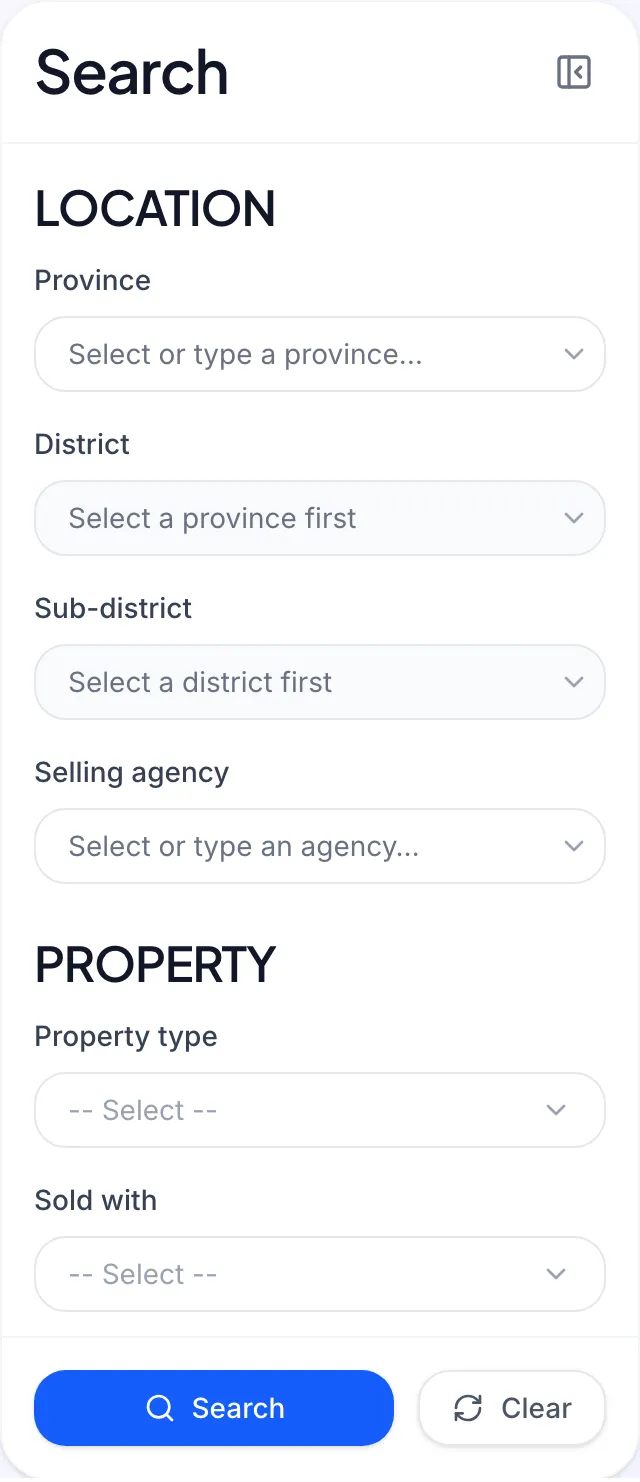
How do I search for cases?
Section titled “How do I search for cases?”- Open Cases from the left menu.
- In the Search panel, set the filters you want (leave the rest empty).
- Click Search.
- Click Clear to reset every filter and start again.
On a phone, Collapse filters hides the panel so you can see more results; Expand filters opens it again.
What does each filter group do?
Section titled “What does each filter group do?”Location
- Selling agency: the Legal Execution office that announced the sale. Type part of its name to find it.
- Province, District, Sub-district: pick a province before a district, and a district before a sub-district. (In Bangkok these are khet and khwaeng; elsewhere amphoe and tambon.)
Property
- Property type: for example land with buildings, condominium or vacant land.
- Sold with: whether a mortgage stays with the property, either Mortgage carried over or No mortgage.
Sale
- Sale status: the status of the latest sale round as announced by the Legal Execution Department.
- Next auction date: pick a date range to find cases with an auction in that window.
- Sold Out: Yes for cases already sold, No for cases still for sale.
Look up by number
- Case number and Title deed no.: use these when you already know the number, for example from a Legal Execution Department notice.
Where are the advanced filters?
Section titled “Where are the advanced filters?”The Advanced filters group (price range, area, price per square wa, deposit and the number of unsold rounds) sits in the same panel but needs the Pro plan or above. See Advanced filters.