

Subscribe and upgrade
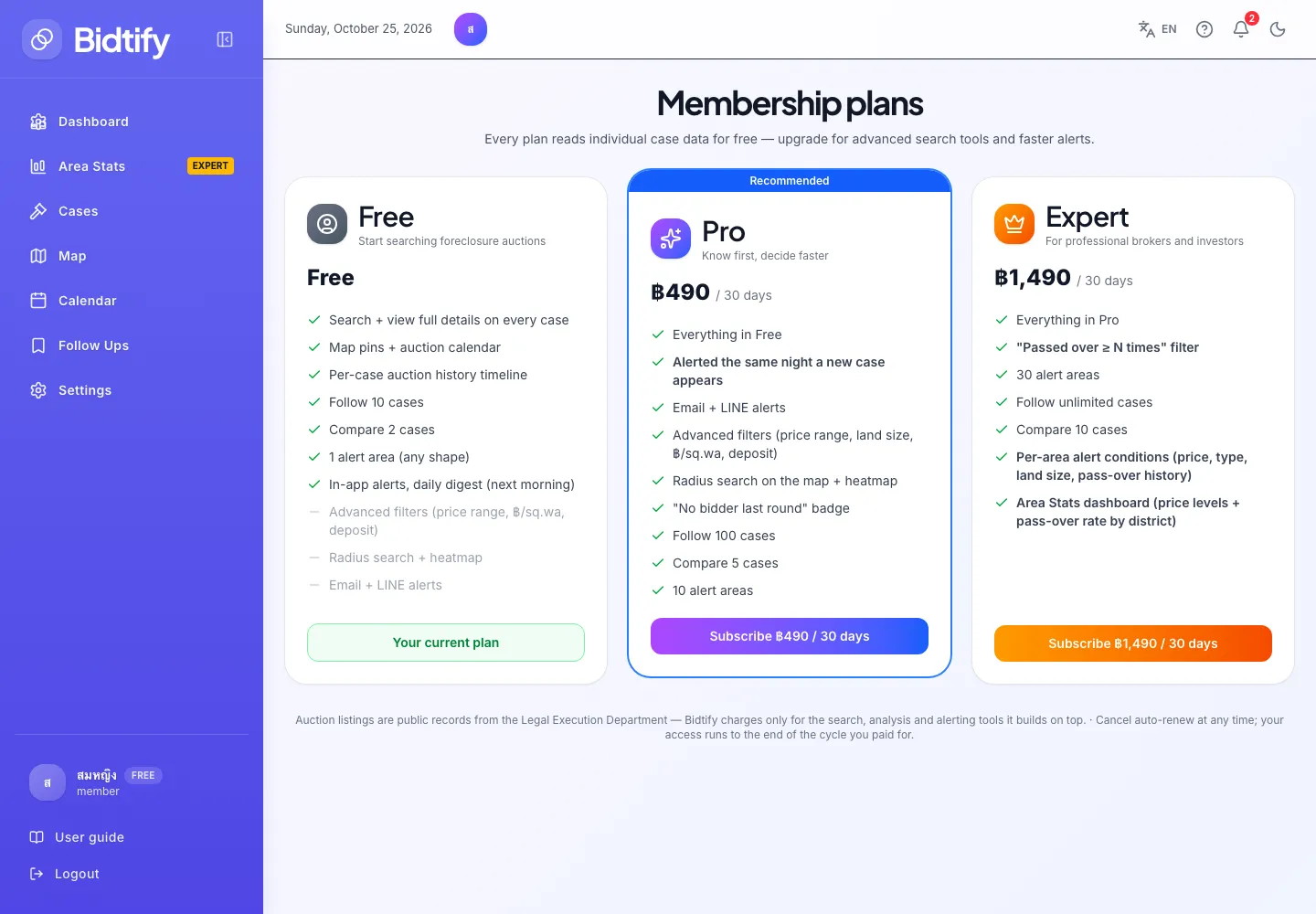
You subscribe to Pro or Expert on the plans page. Pay by card and the plan starts immediately. If you are on Pro and switch to Expert, you pay only the difference for the days left in the current cycle.
Where is the plans page?
Section titled “Where is the plans page?”- Click your plan badge (Free, Pro or Expert) at the bottom of the left menu.
- Click View Pro plans or View Expert plans in the dialog that opens when you click a locked feature.
- Or open bidtify.com/pricing directly.
How do I subscribe for the first time?
Section titled “How do I subscribe for the first time?”- On the plan you want, click Subscribe (the button shows the price per 30 days).
- The Subscribe to Pro (or Expert) dialog shows the amount due and that it renews every 30 days.
- Enter the Card number, Name on card, Expiry (MM/YY) and CVC.
- Click Pay.
- When you see Payment successful, click Get started. The new plan’s features work immediately.
Payments go through Omise. Your browser sends the card number straight to Omise, so the full card number never passes through Bidtify’s servers. Bidtify only sees the card brand and last 4 digits, to show which card is on file.
How is an upgrade from Pro to Expert charged?
Section titled “How is an upgrade from Pro to Expert charged?”When you click Upgrade on the Expert card while your Pro cycle is still running, you pay only the difference:
- The daily difference is (Expert price − Pro price) ÷ 30.
- Multiply by the number of days left in your current Pro cycle.
- The minimum charge is ฿20.
Example: with 15 days of Pro left, the difference is (฿1,490 − ฿490) ÷ 30 ≈ ฿33.33 a day, so you pay about 15 × ฿33.33 ≈ ฿500 today.
Expert is active immediately until your original cycle ends, then renews as Expert at the full price every 30 days. The dialog shows all of these numbers before you pay.
What if the payment fails?
Section titled “What if the payment fails?”| Message | Fix |
|---|---|
| Card number is incomplete / Expiry must be MM/YY / CVC must be 3–4 digits | Check the card details you typed. |
| The card was declined. | Check your limit or online-payment setting with your bank, or use another card. |
| You already have permanent access to this plan | An administrator has already given your account this plan, so there is nothing to buy. |
Current prices are on Compare plans and at bidtify.com/pricing.